Showing posts with label Technology. Show all posts

Friday, July 03, 2020

Migrating (Disk Cloning) from HDD to a smaller SSD with Dual Boot Setup

Okay! This is a post after a long hiatus. Covid-19 pandemic and lockdown provided enough spare time to do some upgrade on my six year old Dell Latitude. It has a dual boot setup with Ubuntu 18.04 and Windows 10 Pro on different partitions.

My existing HDD was a 1TB sata drive harvested from another old laptop that I had upgraded a few years ago. This HDD had  six partitions roughly as follows. None of the partitions were exhausted in space.


  1. UEFI Boot - 512M (If you are not using UEFI boot, then this post will not work)
  2. ext4 - Ubuntu - 600G
  3. Microsoft Reserved (msftres) - 512M
  4. Windows Recovery (NTFS) - 1024M
  5. NTFS - Main Windows - 300G
  6. Unallocated - nnnM


I wanted to migrate to a a new 500G SSD. Obviously, I had to shrink the partitions appropriately to accommodate in the new smaller SSD. I followed the steps mentioned here Ubuntu Howto.
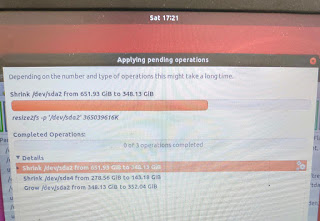


In this post no point of repeating above steps all over again. I will only mention things that didn't work and I had to adjust or redo.

  1. Ensure you have Ubuntu Live USB and Windows 10 recovery USB handy
  2. Partition #3 and #4 above is not needed and can be deleted altogether
  3. Msdos MBR doesn't allow more than four primary partitions. Learnt hard way!!
  4. On new SSD (step#7 in the above article link) don't choose Msdos MBR in Diskpart. Use GPT (Guid Partion table). 
    1. I had to use gdisk to convert MBR to GPT 
  5. Mark first UEFI Partition as bootable in Diskpart
  6. Leave at least 1M unallocated space at the end of the new SSD for GPT to write metadata. Learnt it hard way.
  7. Fix Grub2- I was unable to boot successfully at first attempt with new SSD. Use Boot-Repair to fix the issue
  8. I had to fix boot for windows 10 also. Use windows 10 recovery with diskpart and bootrec to fix windows 10 boot issues.
  9. Have plenty of patience and another device with internet connectivity to research issues :-)

That's all. Post questions and comments, if you want to know more

Cheers!


Wednesday, March 13, 2019

Note to Self- No Personal Home Directory Encryption

As of Ubuntu 16.04 LTS  on my Dell

bjha@bjha-Latitude-3460:~$ uname -a
Linux bjha-Latitude-3460 4.15.0-46-generic #49~16.04.1-Ubuntu SMP Tue Feb 12 17:45:24 UTC 2019 x86_64 x86_64 x86_64 GNU/Linux

home directory encryption using ecryptfs doesn't work cleanly. It interferes with hibernation and suspend, weird login behaviour (correct password doesn't work in Gnome after wakeup) etc. Some of the issues are well discussed over the internet. The pain involved to get it right is not worth the return. Better off with full-disk encryption or something similar if a strong security measure is needed.

How to stop using this feature?

Following link discusses some steps. However, it didn't work for me cleanly. Had to rebuild my home directory from a secondary backup. Also, refer this link how to stop using encrypted swap.

Thursday, June 07, 2012

Google Search bug (location preference)

There is a minor issue with Google location preference in search results. It auto-detects the location from the IP address of my browser. When I am logged into a VPN (or a proxy) with VPN server routing internet traffic from US location, it detects and sets my Location to be USA. The displayed results from USA are given priority. When I try to set my location to India, it would not accept. See below:


Anyone else facing this issue? I think Google should accept user input too for the location field.

Monday, March 12, 2012

Control auto-screen rotation in Windows 7

If you have Intel Graphics (can happen on other graphics too) installed then magically after few key strokes sometimes screen (monitor) rotates upside down or sideways. Like me, if you are used to Eclipse Java IDE and often use "ctrl+alt+down arrow" to duplicate the line(s) above, then, this is a real pain as screen would turn upside down instead of expected Eclipse IDE action.

To turn this behavior off, follow these steps:

1. Locate right side bottom corner of windows task bar

2. Right click on Intel Graphics (Monitor) icon and select to change "Graphics Properties..."


3. On the next window un-check the "Hot Key Functionality" option.


4. You may disable individual options or change key combinations- square box below.

5. Click OK.

That is it.

Wednesday, February 01, 2012

How to run a script on logout/shutdown in windows 7

I have several mounted (windows share) network drives on my Dell laptop. I need them for my daily work. However, at the end of the day I want to close them and clear up some other stuffs. I can use Group Policy(GP) editor snap-in to assign logoff scripts as described here and a screenshot shown below:


But, GP editor may not be availble on all versions of Windows 7. The alternative, I figured out, is to use Task scheduler that comes (probably?) with all flavors of Windows 7. Task scheduler in Windows 7 is really nice, but, I did not find a way to invoke a script when I logout from my computer or shut it down at the end of day's work. The workaround is to create a task that triggers "when some event is logged". To use this alternative, follow these steps:

1. Start task scheduler
2. Enter General properties:

3.  Go to Trigger tab and event details as follows:
4. Enter action details:


5. Rest of the settings can be left default or changed as per needs
6. Save the task and test the script is invoked by manually restarting the computer.


That is all that needed to run a script on logout (shutdown actually) from task scheduler. 

Note: this way script is fired only at shutdown actually. I did not find a easy way to trigger logout security events. I tried with event IDs 4634 and 4647, both did not work as expected.


Monday, September 19, 2011

TIP: How to save images from Facebook gallery

In Facebook, while browsing shared photos of your friends, if you like some photos and want to save them to your computer you would normally  e.g. in Firefox (FF), right click on the image and use Save As option. But this does not work as expected. You do not see an option to save the image only. This happens because the image is "hidden" behind script which loads it. To overcome this, do the following steps:

1) Right click on the image
2) Use inspect element(opens a little window area at the bottom with the html source)
3) Look for tag <img src="xxx"/> xxx is the url of the image.
4) Copy and paste xxx in the address bar of FF and load page.
5) Now right click and save image on your disk.

Note: this tip might work for other sites too which use similar gallery features to display images.

Thursday, September 15, 2011

Finally, DLNA at Home !

DLNA stands for Digital Living Network Alliance. In a nutshell, it is like running a small network and sharing data (video, audio, pictures etc) between different devices (TV, Computer, Game console, video player etc) at your home through this network. Minimum you need a TV (display unit) and a media server (e.g. a computer running some DLNA software). No problem if the TV is not DLNA compatible. You can add a DLNA compatibe player like DVD/Blueray player connect same to the TV.

DLNA is almost 7-8 years old but the technology has become popular (and affordable) now. At my home, I've been adding up components for a DLNA home for over a year now. I have following things now:

1) Linksys E3000 wifi router (N+ with MIMO)
2) 42" LG Infinia LED HD TV (non DLNA)
3) Sony PS3 game console and Sony BDP S-370 Blueray player (both are DLNA players)
4) Acer laptop running Windows 7 Home premum (DLNA server)
5) 320 GB Buffalo USB 2.0 for storage (upgrading soon to 1TB Western Digital USB3.0)

Setup and execution


1) Start Linksys router (ensure UPnP is enabled)
2) Start computer and enable media streaming
3) Switch on TV
4) Switch on PS3 (or player) and configure to use DLNA
5) Choose DLNA Media Server option in PS3 XMB
6) The name of the computer (DLNA server) is shown select it and use further online options to view media. See the picture below.

That's all for a basic DLNA at home. I was able to play some MP3 and view pictures (average size 3MB) without much problem. However, video display was breaking frames. Probably because PS3 uses only b/g and was not able to exploit higher WiFi capacity of N+ network. Also, the concrete walls and other radio in my house is probably interfering with WiFi waves.


Windows 7 Media Server in PS3 XMB.


Friday, September 03, 2010

JPivot/Mondrian + Struts 1.x file upload issue

After we integrated JPivot (front-end for Mondrian) library in one of our Struts 1.x based web application, all file uploads working fine so far, started to fail with NullPointerException (NPE). JPivot request filter is configured to intercept all requests for action (e.g. *.do). I could not find direct discussion about this issue on Google.

After debugging for few hours myself, noticed that JPivot RequestFilter intercepts and consumes the HTTP multipart request stream through a MultipartEnabledRequest wrapper even before it reaches Struts controller. Therefore FormFile object is null in FormBean.

The simple solution that worked was to extend the JPivot RequestFilter class and override doFilter(), something like shown below and use this custom filter in place of default JPivot RequestFilter.

...
import com.tonbeller.wcf.controller.RequestFilter;

/**
* This extension modifies default behavior of JPivot controller for file uploads
* (multipart requests) . It allows Struts layer to handle such requests rather
* than processing itself.
*
* @author bjha
*/
public class MyJpivotFilter extends RequestFilter {

@Override
public final void doFilter(
ServletRequest req,
ServletResponse res,
FilterChain fc) throws IOException, ServletException {


if( isMultipartRequest( req ) ){
//let Struts handle upload
fc.doFilter(req, res);
return;
}

super.doFilter(req, res, fc);
}


static boolean isMultipartRequest(ServletRequest req) {

if (req instanceof HttpServletRequest) {

String reqMethod = ((HttpServletRequest) req).getMethod();

if ( reqMethod != null
&&
"post".equals(reqMethod.toLowerCase())) {

String content = req.getContentType();
return (
content != null
&&
content.toLowerCase().contains("multipart/form-data"));
}
}

return false;
}
}


Another option that could work would be to configure JPivot RequestFilter not to intercept requests for upload URIs via web.xml or use commons-fileupload library to handle uploads.

Friday, July 02, 2010

Google Search service + Firefox + Adblock Plus plugin

Some websites use customized Google search (powered by Google etc) on their pages. If you try to access search service on such sites using Mozilla Firefox having Adblock Plus plugin (ABP) installed, then sometimes you will not get proper searched results or it may return a blank page. This is because ABP blocks the (third party) Google scripts from loading on the page. To overcome that, you will have to "white-list" such scripts in ABP. Checkout this post for more on this.

PS: this happens with ABP 1.2 and FF 3.6.6.

Monday, January 05, 2009

Buffalo 320GB MiniStation

Got this portable disk yesterday. As expected, it worked fine straight out of the box, on my IBM T42 running WinXP sp3. However, it did not "plug-n-play" when hooked into the USB port on my home PC . The PC is pretty old (circa 2002) and has a Intel 865GBF board. It is running windows 2000 sp4 and RedHat Linux 9 in dual boot mode.

LED was blinking, but, the disk did not seem to spin. Googling around did not help much. Connected the extra USB power supply cable too and lo, it started working!

What is the issue? My old PC can not power a 5v USB device?

Anyways, all seems to be fine now (yet to test on Linux though). I am enjoying this new toy and using it to carry stuffs around.